Running gait analysis: store, clinic or video?
Having your gait analyzed means looking at how you run to understand what slows or tires you. But a store test, a clinic assessment and a video analysis don't look at the same things. Here is how I make sense of them.
 Nicolas Litchman, physiotherapist and sports podiatrist (registered in France)
Updated 18 November 2026
What is a running gait analysis for?
The name covers two very different things. The first is choosing a shoe: the test looks at your foot and ankle, often from behind, and talks about pronating, supinating or neutral feet. The second is understanding how you run: cadence, where your foot lands, trunk, bounce.
The first helps you buy. The second helps you run. I'm mostly interested in the second, and I come back to it below, because I think looking only at the foot is a mistake.
Store, clinic or video: the differences
| In a store | In a clinic | By video, on your phone | |
|---|---|---|---|
| What it looks at | Often the foot | Your whole body, history and pain | Running technique, side-on |
| Goal | Choose a shoe | Full assessment, treatment if needed | See your technique and compare it |
| Price | Often free | Set by the practitioner | Free on Twinrun |
| Where | In the shop | By appointment | At home or at the gym |
In a store, a salesperson has you run for a few moments on a treadmill and recommends a model. It's quick, often free, and useful for buying. But the test is short, centred on the foot, and it ends with a sale.
In a clinic, the analysis is part of an assessment: your history, your pain, your mobility, your strength, then your running on film. It's the right door if you're in pain or coming back from injury. You need an appointment, and fees are set by the practitioner.
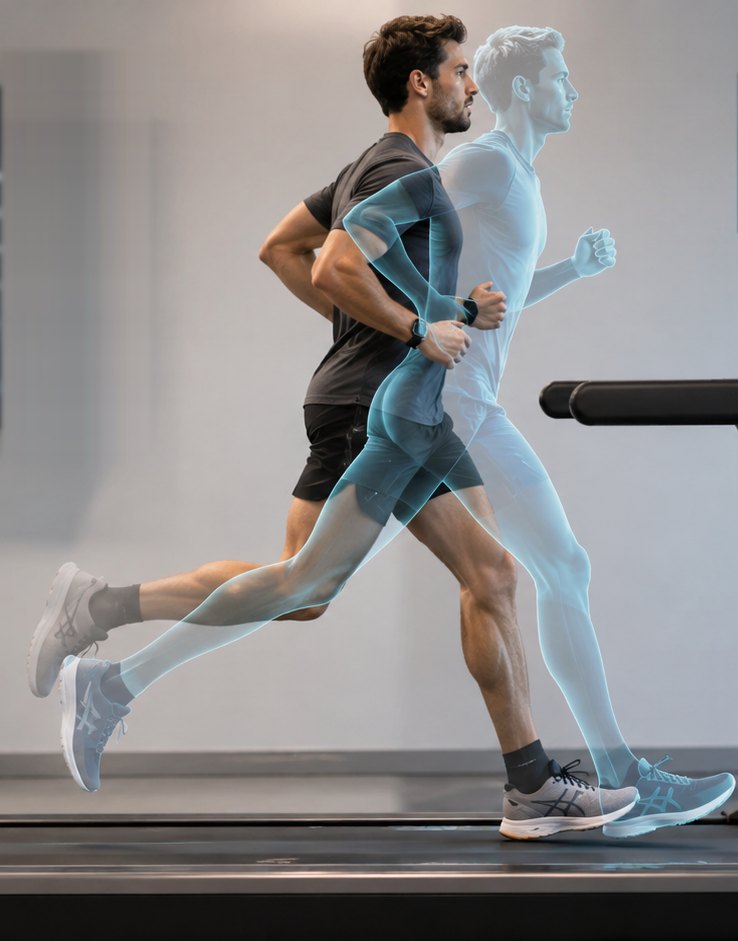
Video on your phone sits in between. You pick a video of yourself on a treadmill, the tool finds your joints, measures your stride and makes an elite runner run over you, at your pace. Other tools exist, like the Ochy app or running watches: I cover them in the comparison of running form analysis apps.
Why I look at the side view first
When you only analyze the foot, you dwell on a detail and miss the whole. A marked pronation can perfectly well be how a runner who goes fast and stays uninjured simply works. What tells me the most is overall posture seen from the side: where the foot lands relative to the pelvis, how the trunk is held, how much the runner bounces. I go into it in the posture analysis guide.
Accuracy or trends?
Biomechanists look for measurements to the degree, with repeatable studies and plenty of runners to draw solid statistics. That's essential in research. It's not what I'm after here: I want you to see the differences, the oddities and the direction to head in, straight away. A side-on video is a good tool for that.
It has limits, and it's better to know them. On a treadmill, most running measures are comparable to overground, with differences at foot impact.[1] And in a study where 20 runners were filmed in 2D and 3D at once, agreement was good for foot angle at contact and knee range, weaker for peak knee flexion.[2] A video is not a laboratory, and I don't pretend it is. I wrote a full guide on this: biomechanics analysis, accuracy or trends.
What a gait analysis measures
On your video, Twinrun first looks at your segment angles (legs, trunk), then where your foot lands relative to your pelvis (linked to braking forces),[3] your foot strike, your bounce and, last, your cadence. What research says about them, and what it doesn't, is in how to improve your running form.
How to analyze your stride for free, in three steps
- Have someone film you side-on, on a treadmill, phone at hip height. Details are in how to film yourself running.
- Open Twinrun and pick your video. Nothing to install.
- Watch your elite twin run over you, at the same tempo, and read your measurements.
If you want to know what those differences mean for you, you can then order a report: I watch your video myself and write you an assessment, with the differences explained and suggestions adapted to you.